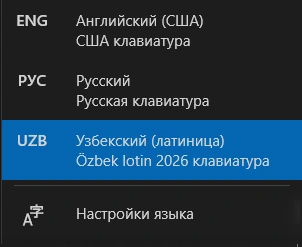
“Özbek lotin 2026” keyboard layout
Just like the English layout, except the four new letters are typed with a single key, no Alt needed.
For Windows 10 / 11
An app for typing the letters of the new Uzbek alphabet (O‘/Ö, G‘/Ğ, Sh/Ş, Ch/Ç) quickly and comfortably on a regular keyboard.
For Microsoft Word
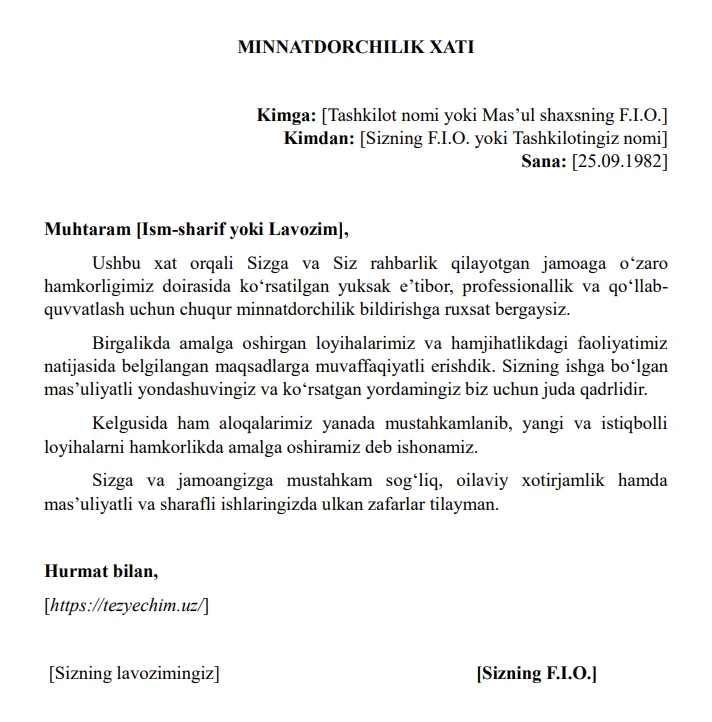
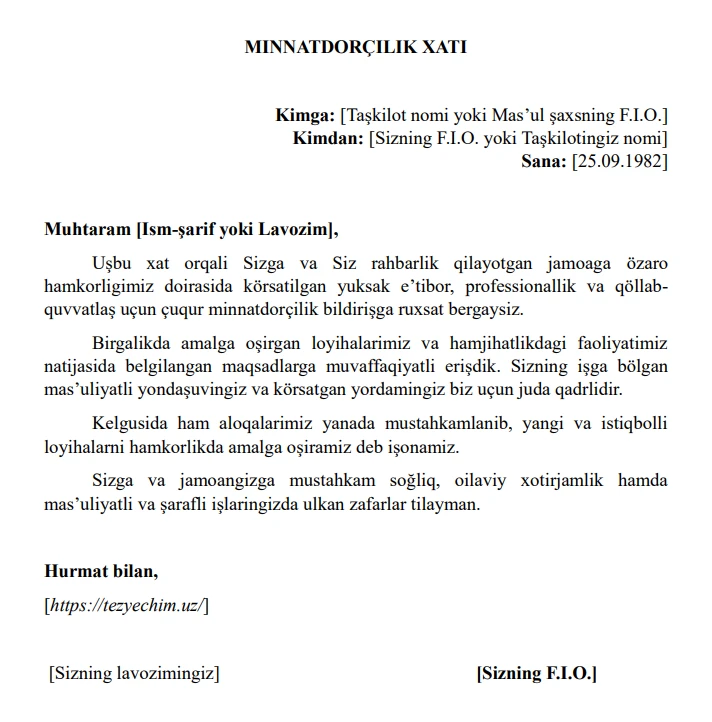
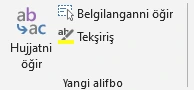
Click “Hujjatni öğir” and the whole document switches to the new alphabet. Formatting, links and the tutuq sign are preserved.
 BeforeAfter
↔ Drag the slider
On 21 October 2026 the updated Uzbek Latin alphabet was approved: four letters were replaced with new ones — Ö, Ğ, Ş, Ç. Yangi Alifbo 2026 lets you type them effortlessly on a regular keyboard and convert old texts to the new alphabet in one click.
Just like the English layout, except the four new letters are typed with a single key, no Alt needed.
Converts a document from the old Latin script to the new alphabet in one click.
For organisations: converts many .docx, .xlsx, .txt and .csv files at once.
Four new letters — one key each.
Easy to remember — you’ll learn it in 5 minutes
| Key | Letter | With Shift |
|---|---|---|
| [ | ç | Ç |
| ] | ö | Ö |
| - | ğ | Ğ |
| = | ş | Ş |
![“Özbek lotin 2026” keyboard layout: Ç, Ö, Ğ, Ş on the [ ] - = keys](/yangialifbo/keyboard-layout.webp)
After installation, “Yangi alifbo” buttons appear on the Word ribbon:
Links, email addresses, English words and the tutuq sign (Isʼhoq, maʼno) stay unchanged. Formatting is preserved. Everything can be undone with a single Ctrl+Z.
If Windows shows “Windows protected your PC”, click “More info”, then “Run anyway”.
Settings → Apps → Yangi Alifbo 2026 → Uninstall.
An idea, a bug or a question — we read everything.