Mass calling
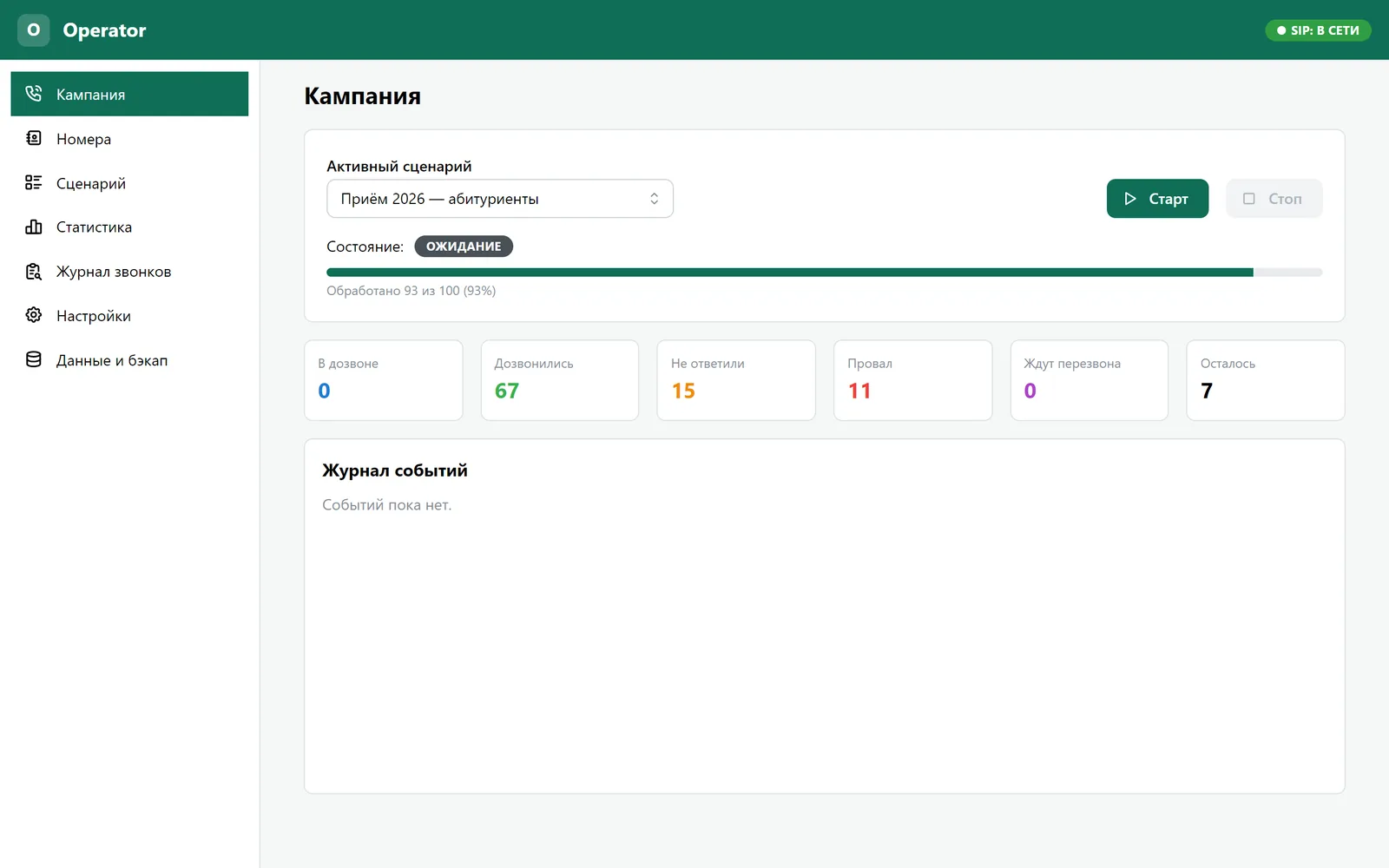
A number queue, up to 5 lines at once, automatic call-backs to those who did not answer or were busy, and a pause between calls.
Operator · Automated calls to applicants
Operator calls a list of applicants by itself, plays pre-recorded voice messages, collects answers from phone key presses and shows the results right away. Just load the numbers, pick a scenario and press Start.
A number queue, up to 5 lines at once, automatic call-backs to those who did not answer or were busy, and a pause between calls.
A language menu (Uzbek / Russian / English), questions with answer options, notifications with no answer, and branching by answer.
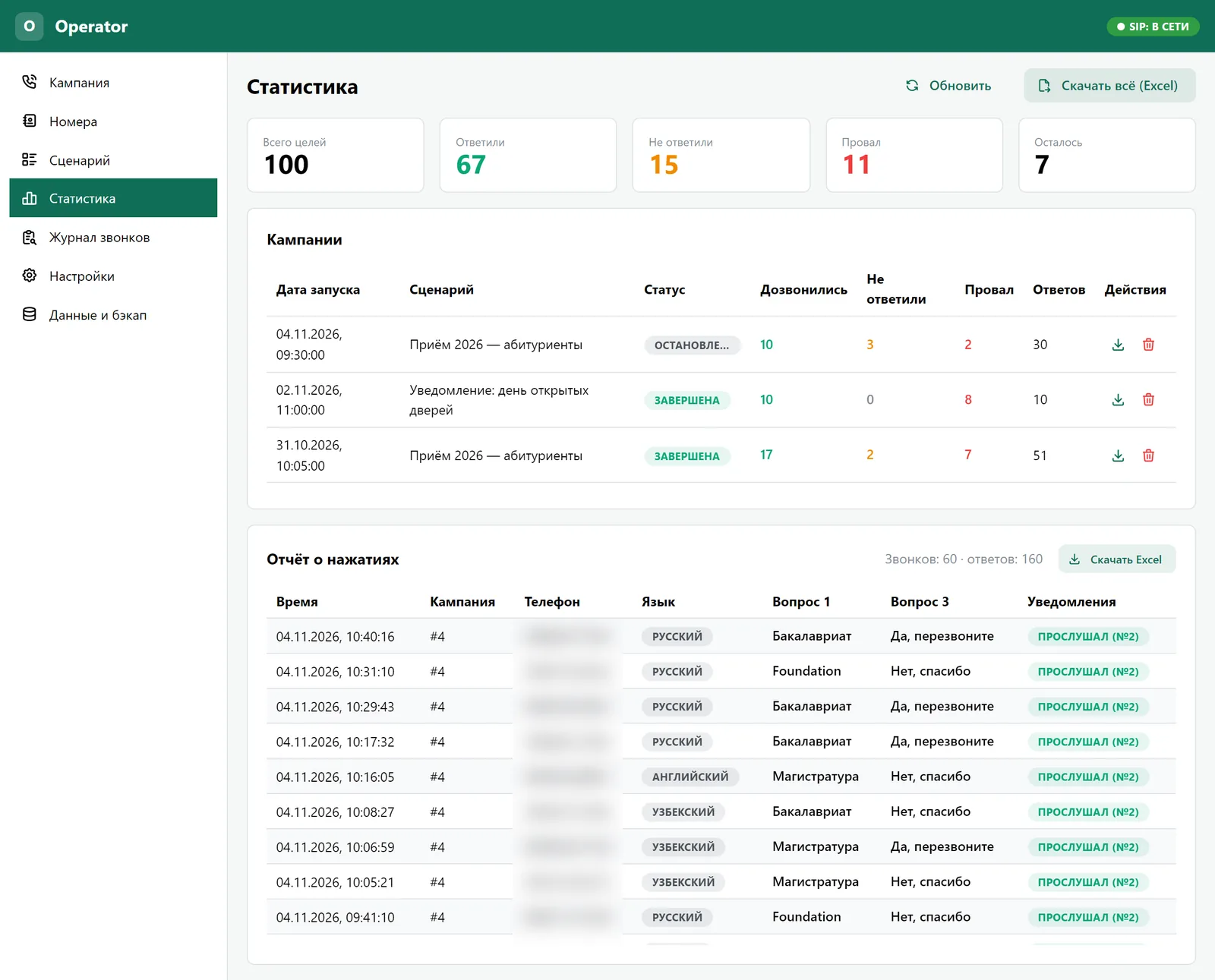
Statistics per campaign, a key-press report for every call, a log with the reasons calls failed, and Excel export.
All data lives in one SQLite file on the computer. A backup is simply a copy of that file.
Connects to Issabel/Asterisk as an ordinary SIP phone. Recordings stay on the computer; nothing goes on the server.
With a separate AI server, recordings and notifications are voiced from Russian and English text. Uzbek is in development.
No answer? The number goes back to the queue and is dialled again after a pause. Stop does not cut ongoing calls: new calls stop starting and current ones finish normally.
Operator takes the next number from the queue and calls through the PBX trunk (SIP or a GSM gateway).
The person hears a menu and picks a language: 1 - O‘zbek, 2 - Russian, 3 - English.
Each question plays in the chosen language and is answered with a key press. No answer - the question repeats.
Information messages that need no answer, for example about an open day.
A thank-you, the call ends, and the answers go straight into the database and the statistics.
Screenshots from the real version. Applicants’ names and phone numbers are blurred.
| Russian | English | O‘zbekcha | |
|---|---|---|---|
| Voice menu and questions in the call (ready recordings) | Ready | Ready | Ready |
| Voicing recordings and notifications via the AI server | Ready | Ready | In development |
| Voice cloning for voice-over | Ready | Ready | In development |
| App interface language | Ready | Ready | - |
Calls in Uzbek work fully; their recordings are uploaded as ready .wav files. Automatic voicing of Uzbek text through the AI server is in development.
To get started: a Windows computer, a SIP extension on an Issabel/Asterisk PBX, an outgoing trunk (SIP or a GSM gateway), and ready recordings or an AI server.
Operator is not freely distributed: it is set up for your PBX and scenarios. Write to us and we will tell you more and show it.
No. Operator connects as an ordinary SIP phone, and the recordings stay on the computer.
Uzbek, Russian and English: the person picks the language at the start of the call.
In one SQLite file on the computer. Backups take one click, and results can be uploaded to PostgreSQL if you want.
Yes, with an AI server on the local network: Russian and English now, Uzbek in development.
Tell us about your PBX and tasks - we will reply, show the program and help you launch.
An idea, a bug or a question - we read everything.